\
**Category:** Implementation\
**Created:** [March 28, 2016, 9:48pm UTC](https://talk.commonmark.org/t/how-to-create-self-parsing-html-file/2059 "2016-03-28T21:48:24Z")\
**Posts on this page:** 4\
**Page:** 1
**Author:**  [@johncj](https://talk.commonmark.org/u/johncj)\
**Post date:** [March 28, 2016, 9:48pm UTC](https://talk.commonmark.org/t/how-to-create-self-parsing-html-file/2059/1 "2016-03-28T21:48:24Z")
I have successfully installed Commonmark.js through the NPM and successfully can convert `md` files to HTML, this way:
```
commonmark test.md > test.html
```
Okay.
And after that, I tried to create this HTML file:
```
# header
text
text
```
(Also I previously downloaded javascript file itself and placed it together with HTML).
But when I open this file in web browser, I see just not formatted HTML:
```
# header text text
```
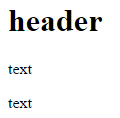
Instead of desired result:
> 
What I’m doing wrong?
(There are no errors shown in Chrome Developer Tools).
I want it just for myselft. In other words, as replacement of Word. Open it with Sublime Text, write something, then open in Chrome and see the result. Something like [Strapdown](http://strapdownjs.com/). Maybe I’m on a wrong way?
---
**Author:**  [@chrisalley](https://talk.commonmark.org/u/chrisalley)\
**Post date:** [March 29, 2016, 3:38am UTC](https://talk.commonmark.org/t/how-to-create-self-parsing-html-file/2059/2 "2016-03-29T03:38:16Z")
Including the Markdown in the HTML file directly won’t work because web browsers don’t understand Markdown natively. The browser is currently just treating the Markdown as plain text; you’ll need to tell the web browser how to use commonmark.js to render the Markdown as HTML so that the web browser can understand it (usually with a JavaScript function). You could look at the source code of the dingus for an example of how this is done.
---
**Author:**  [@johncj](https://talk.commonmark.org/u/johncj)\
**Post date:** [March 29, 2016, 5:13pm UTC](https://talk.commonmark.org/t/how-to-create-self-parsing-html-file/2059/3 "2016-03-29T17:13:02Z")
Thanks, Chris! Short and understandable answer.
---
**Author:**  [@xoofx](https://talk.commonmark.org/u/xoofx)\
**Post date:** [March 29, 2016, 11:10pm UTC](https://talk.commonmark.org/t/how-to-create-self-parsing-html-file/2059/4 "2016-03-29T23:10:17Z")
[Markdeep](http://casual-effects.com/markdeep/) is using this technique, though It’s not CommonMark compliant